How do I merge changes from two Excel copies with a common original?
Compare a base workbook and two edits. Merge independent cell changes and review conflicts before exporting an XLSX.
What the sample produces
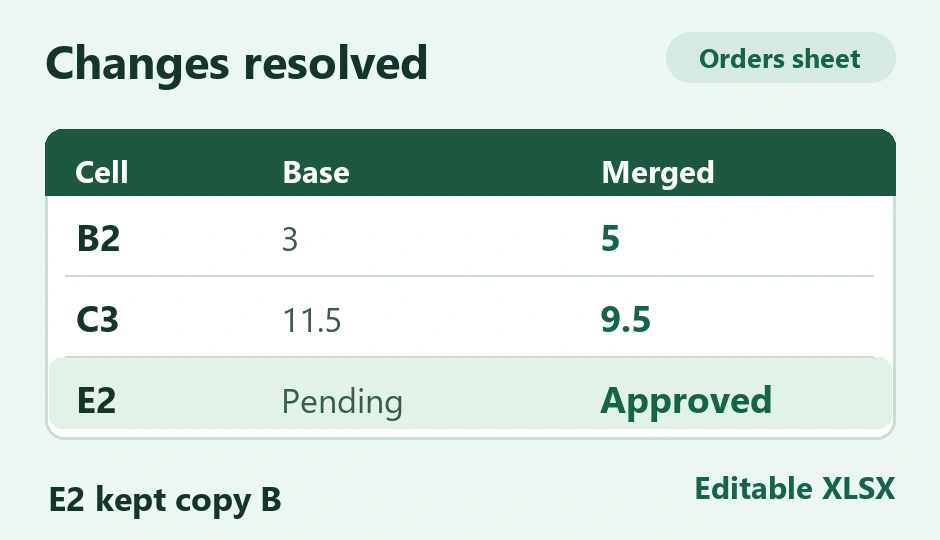
The sample is a group of three real Excel workbooks. After choosing copy B for the conflict, Excel opened the combined XLSX and recalculated the order totals. An independent reader checked the formulas and worksheet structure.
- Structure
- Same worksheets
- Excel check
- Formulas recalculated
How to use it
- Choose the original workbook and the two edited copies in their labeled slots.
- Check conflicting cells. Enter choices such as C1=A,C2=B, or C1=base to retain the original.
- Run the preview again and open the exported XLSX in Excel to check the recalculated workbook.
Supported files
Works with three compatible XLSX copies of the same workbook layout, up to 24 MB combined and 120,000 cells per workbook. Handles ordinary cell values and formulas. Layout changes, macros and signatures are outside the supported scope.